Introduction to some aspects of the python interface to LePhare
This notebook demonstrates the basic cosmology functions in LePHARE.
The notebook can be downloaded here.
[1]:
from lephare import zgrid, cosmo
from matplotlib import pylab as plt

%matplotlib inline
LEPHAREDIR is being set to the default cache directory:
/home/docs/.cache/lephare/data
More than 1Gb may be written there.
LEPHAREWORK is being set to the default cache directory:
/home/docs/.cache/lephare/work
Default work cache is already linked.
This is linked to the run directory:
/home/docs/.cache/lephare/runs/20260625T093615
cosmology module
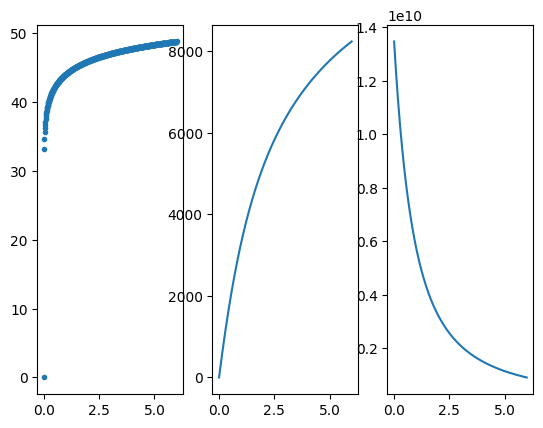
This module is very limited in scope, as it is used only in computed absolute magnitude when necessary. The python interface provides access to the cosmo class, and numpy access to the 3 functions of the cosmo class : distMod for the distance modulus, distMet for the metric distance, and time for the cosmological time from infinity to argument redshift z.
The cosmology.h also exposes the zgrid function that returns a grid of redshift, with a constant redshift step.
[2]:
# linear binning
redshifts = zgrid(0.01, 0, 6)
lcdm = cosmo()
[3]:
dist_mod = lcdm.distMod(redshifts)
dist_met = lcdm.distMet(redshifts)
t = lcdm.time(redshifts)
fig, axes = plt.subplots(1, 3)
axes[0].plot(redshifts, dist_mod, ".")
axes[1].plot(redshifts, dist_met)
axes[2].plot(redshifts, t)
[3]:
[<matplotlib.lines.Line2D at 0x7dc7a8643ca0>]