Manipulating an SED object
SED objects represent SED templates belonging to one of the three possible classes “STAR”, “QSO” (for AGN type of objects), and “GAL” for galaxies. SED templates available with LePhare can be found under the sed directory.
The notebook can be downloaded here.
[1]:
import os
import lephare as lp
import numpy as np
from matplotlib import pylab as plt
import struct

%matplotlib inline
%load_ext wurlitzer
LEPHAREDIR is being set to the default cache directory:
/home/docs/.cache/lephare/data
More than 1Gb may be written there.
LEPHAREWORK is being set to the default cache directory:
/home/docs/.cache/lephare/work
Default work cache is already linked.
This is linked to the run directory:
/home/docs/.cache/lephare/runs/20260625T093615
[2]:
keymap = lp.all_types_to_keymap(lp.default_cosmos_config)
# Get the auxiliary files required.
lp.data_retrieval.get_auxiliary_data(keymap=keymap, additional_files=["sed/STAR/PICKLES/f2ii.sed"])
Registry file downloaded and saved as data_registry.txt.
Downloading file 'sed/STAR/PICKLES/f2ii.sed' from 'https://raw.githubusercontent.com/lephare-photoz/lephare-data/main/sed/STAR/PICKLES/f2ii.sed' to '/home/docs/.cache/lephare/data'.
Checking/downloading 445 files...
445 completed.
All files downloaded successfully and are non-empty.
Checking/downloading 1 files...
1 completed.
All files downloaded successfully and are non-empty.
[3]:
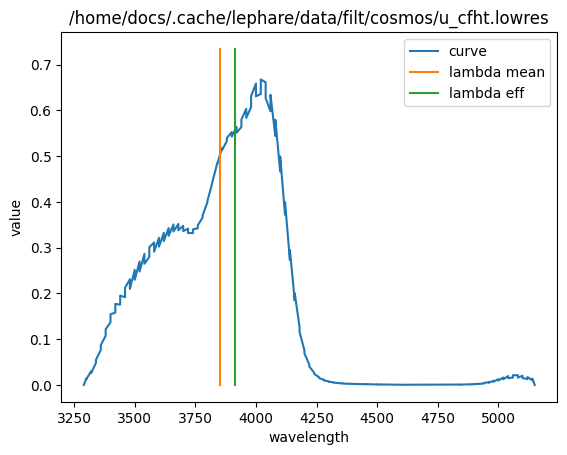
filter_name = "cosmos/u_cfht.lowres"
f1 = lp.flt(0, filter_name, 1, 0)
f1.read(os.path.join(lp.LEPHAREDIR, "filt", filter_name))
f1.plot_filter_curve()
[4]:
# we can write the config to a file to keep a record
config_file = "./config_file.para"
lp.write_para_config(keymap, config_file)
# before running PhotoZ we must run filt, sedtolib and maggal
filter_driver = lp.Filter(config_file=config_file)
filter_driver.run()
[4]:
[<lephare._lephare.flt at 0x7d3353d6aca0>,
 <lephare._lephare.flt at 0x7d3353d6a4d0>,
 <lephare._lephare.flt at 0x7d3353d6bc40>,
 <lephare._lephare.flt at 0x7d3353d695d0>,
 <lephare._lephare.flt at 0x7d3353d69120>,
 <lephare._lephare.flt at 0x7d3368af0b80>,
 <lephare._lephare.flt at 0x7d3368af09a0>,
 <lephare._lephare.flt at 0x7d3368af1990>,
 <lephare._lephare.flt at 0x7d3368af0d60>,
 <lephare._lephare.flt at 0x7d3368af0270>,
 <lephare._lephare.flt at 0x7d3368af1260>,
 <lephare._lephare.flt at 0x7d3368af17b0>,
 <lephare._lephare.flt at 0x7d3368af11c0>,
 <lephare._lephare.flt at 0x7d3368af0a40>,
 <lephare._lephare.flt at 0x7d3368af0a90>,
 <lephare._lephare.flt at 0x7d3368af1030>,
 <lephare._lephare.flt at 0x7d3368af0720>,
 <lephare._lephare.flt at 0x7d3368af18a0>,
 <lephare._lephare.flt at 0x7d3368af0400>,
 <lephare._lephare.flt at 0x7d3368af0770>,
 <lephare._lephare.flt at 0x7d3368af02c0>,
 <lephare._lephare.flt at 0x7d3368ad3f10>,
 <lephare._lephare.flt at 0x7d3368ab8180>,
 <lephare._lephare.flt at 0x7d3368ab81d0>,
 <lephare._lephare.flt at 0x7d3368ab8220>,
 <lephare._lephare.flt at 0x7d3368ab8270>,
 <lephare._lephare.flt at 0x7d3368ab82c0>,
 <lephare._lephare.flt at 0x7d3368ab8310>,
 <lephare._lephare.flt at 0x7d3368ab8360>,
 <lephare._lephare.flt at 0x7d3368ab83b0>]
[5]:
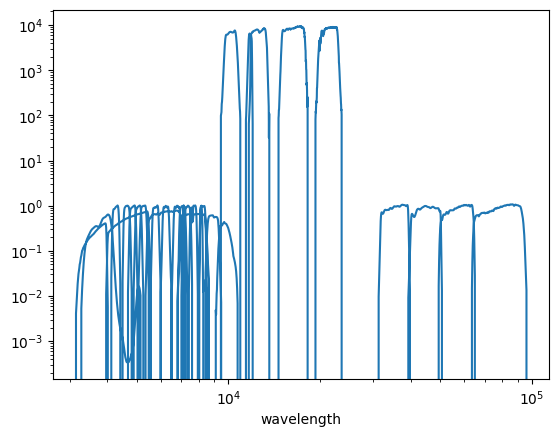
filter_output = os.path.join(
    os.environ["LEPHAREWORK"], "filt", filter_driver.keymap["FILTER_FILE"].value + ".dat"
)
filters = np.loadtxt(filter_output, dtype={"names": ("lamb", "val", "bid"), "formats": (float, float, int)})
plt.loglog(filters["lamb"], filters["val"])
plt.xlabel("wavelength");
[6]:
!ls $LEPHAREDIR/sed
GAL QSO STAR
Let’s start with the template of a star. A SED object is created most easily with 3 arguments: its name, an identifying integer, and the type it belongs to. Then calling the read function reads the ASCII file passed as argument.
[7]:
star_sed = "f2ii.sed"
sed_filename = os.path.join(lp.LEPHAREDIR, "sed/STAR/PICKLES/", star_sed)
sed = lp.StarSED(star_sed, 1)
sed.read(sed_filename)
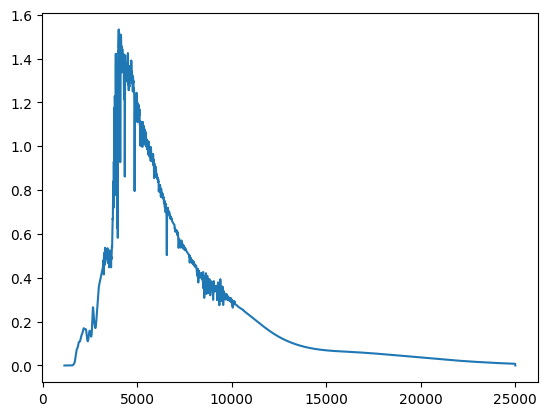
The python code exposes the templates vectors through the data method
[8]:
x = sed.data()[0]
y = sed.data()[1]
plt.plot(x, y)
[8]:
[<matplotlib.lines.Line2D at 0x7d3353d450c0>]
In the context of LePhare, such a SED object is going to be written as a byte compressed file, and read back downstream to compute expected magnitudes and to perform the fit. Writing an reading this binary stored file goes as follows:
[9]:
rootname = star_sed.split(".")[0]
sed.writeSED(rootname + ".bin", rootname + ".phys", rootname + ".doc")
We can read it back into a new SED object, and check that the values have been correctly read back
[10]:
sed2 = lp.StarSED(star_sed, 2)
sed2.readSEDBin(rootname + ".bin")
x2 = sed.data()[0]
y2 = sed.data()[1]
assert np.all(x == x2)
assert np.all(y == y2)
print(sed.name, sed2.name)
f2ii.sed MOD_1
[11]:
sed = lp.Sedtolib(config_file)
sed.run(typ="STAR", star_sed=f"{lp.LEPHAREDIR}/sed/STAR/STAR_MOD_ALL.list", star_fscale="1")
[12]:
sed_output = os.path.join(os.environ["LEPHAREWORK"], "lib_bin", keymap["STAR_LIB"].value + ".bin")
[13]:
sed_output
[13]:
'/home/docs/.cache/lephare/work/lib_bin/LIB_STAR.bin'
[14]:
# Code to unpack binary not running
# buf = open(sed_output, "rb").read()
# counter = 0
# off = 0
# while counter <= 0:
#     nrec, jtype, nbw = struct.unpack("iil", buf[off : off + 16])
#     wave = struct.unpack("d" * nbw, buf[off + 16 : off + 16 + 8 * nbw])
#     print(nrec, jtype, nbw)
#     off += 16 + 8 * nbw
#     nrec, jtype, nbw = struct.unpack("iil", buf[off : off + 16])
#     spec = struct.unpack("d" * nbw, buf[off + 16 : off + 16 + 8 * nbw])
#     print(nrec, jtype, nbw)
#     off += 16 + 8 * nbw
#     counter += 1
# plt.plot(wave, spec)
# # plt.xlim(1000,1.e4)
# # plt.ylim(1.e-10,1.e-6)

# n = 6973
# struct.unpack("d", buf[off + 16 + 8 * (n - 1) : off + 16 + 8 * n])

# nbw

# buf[38896 + 16 + 8 : 38896 + 16 + 16]

# struct.unpack("d", buf[38896 + 16 + 8 : 38896 + 16 + 16])

# print(4.2399775704000006e-08 / 1.23542470e01)

# struct.unpack("d" * 1, buf[off + 16 : off + 16 + 8])

# struct.calcsize("l")

# wave[1], spec[1]
[15]:
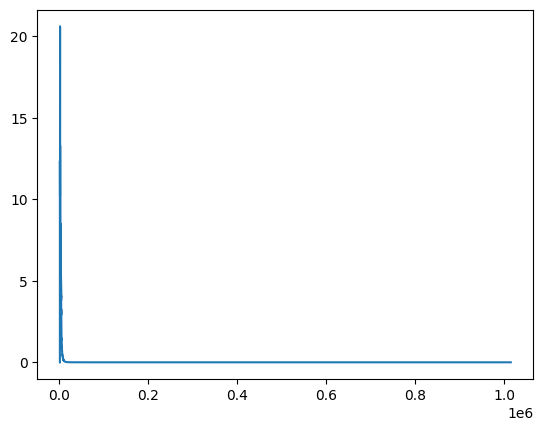
d = np.loadtxt(f"{lp.LEPHAREDIR}/sed/STAR/PICKLES/o5v.sed.ext")
plt.plot(d[:, 0], d[:, 1])
[15]:
[<matplotlib.lines.Line2D at 0x7d335065e9e0>]
[16]:
d[:, 1]
[16]:
array([0.00000000e+00, 1.23542470e+01, 9.92826800e+00, ...,
       2.15824600e-65, 4.93845048e-66, 1.13000525e-66], shape=(4860,))
[17]:
stream_buf = open(sed_output, "rb").read()
[18]:
struct.unpack("iil", stream_buf[0:16])
[18]:
(1, 4860, 0)
[19]:
k = lp.keyword("TEST", "0.1,0.1,6")
print(k.split_double("0.03", 3))
print(k.split_double("0.03", 3))
[0.1, 0.1, 6.0]
[0.1, 0.1, 6.0]
[20]:
mag = lp.MagGal(config_file)
mag.run(typ="STAR", lib_ascii="YES", star_lib_out="ALLSTAR_COSMOS")
[21]:
sed.run(typ="QSO", qso_sed=f"{lp.LEPHAREDIR}/sed/QSO/SALVATO09/AGN_MOD.list")
[22]:
sed.run(typ="GAL", gal_sed=f"{lp.LEPHAREDIR}/sed/GAL/COSMOS_SED/COSMOS_MOD.list", gal_lib="LIB_VISTA")
[23]:
mag = lp.MagGal(config_file)
mag.run(
    typ="QSO",
    lib_ascii="NO",
    mod_extinc="0,1000",
    eb_v="0.,0.1,0.2,0.3",
    extinc_law="SB_calzetti.dat",
    z_step="0.04,0,6",
    verbose=True,
)